

Salesforce CTI Connector
Screen-pop and click to dial with Cisco IP Phones
Mirror your Cisco IP Phone or use Comstice Webphone with screen pop for incoming call and click to dial on your Salesforce page.
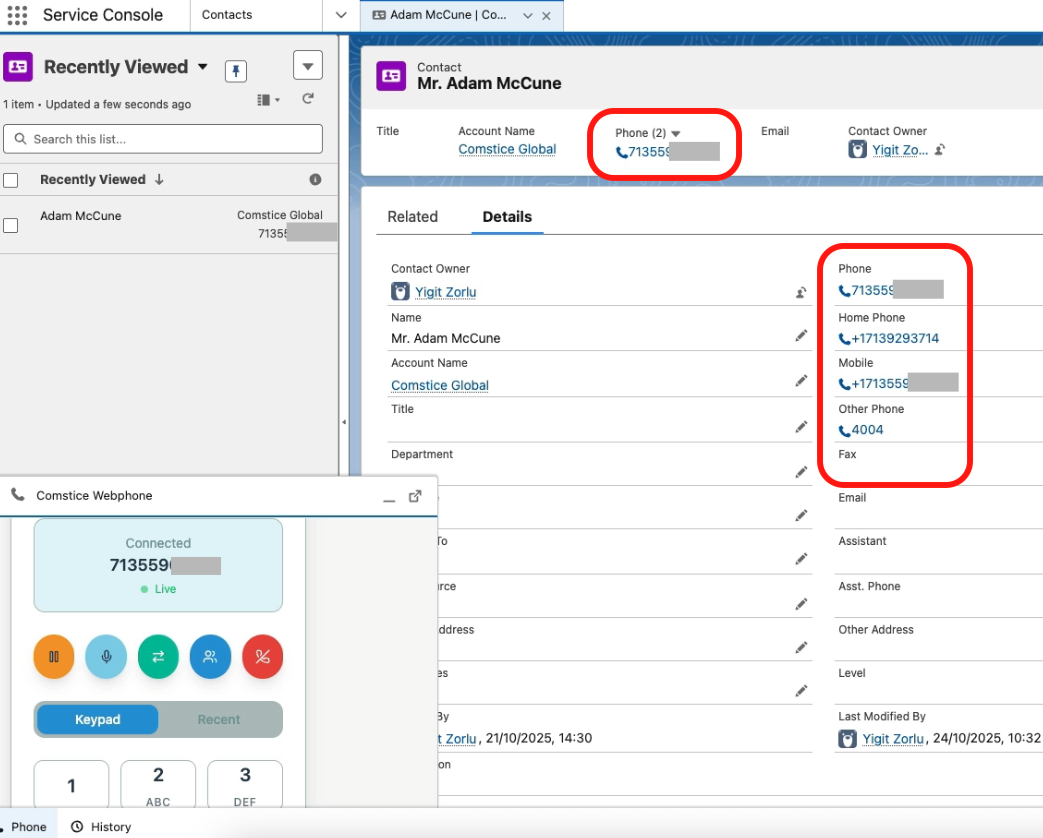
Auto-update every call activity on Salesforce
Faster call handling within Salesforce page
Post-Call Disposition for Salesforce Call Tasks
Why Leaders Choose Comstice CTI Connector
Single Web Interface
Make and receive calls using Salesforce webpage
On-Premises
Host Comstice CTI Connector on-premises for data privacy
Screen-Pop for Callers
Faster contact handling and call logging
Automate Call Tasks
Call task created after each call automatically
Enterprise Users
Callbacks and Tasks simplified
No Call Center Needed
Pure Cisco CUCM CTI integration

You Have Two Options

Comstice Webphone
Comstice Webphone helps to make and receive calls without any Cisco IP Phone required, by using web browser for audio. It is a safer option than Cisco Jabber and helps to eliminate Cisco Mobile and Remote Access. It can also work without any VPN needed.

Cisco IP Phone Mirroring
Comstice Connector can also mirror Cisco IP Phone for Salesforce. Comstice Connector will act as a remote control for your Cisco IP Phone. If you want to keep your Cisco IP Phones and the existing call recording solution, then this option would be better.
Solution Topology
-
Comstice Webphone
WebRTC-Based softphone inside Salesforce pages to eliminate Cisco IP Phones.
-
IP Phone Mirroring
Cisco IP Phone Mirroring for screen pop and click to dial from Salesforce pages.
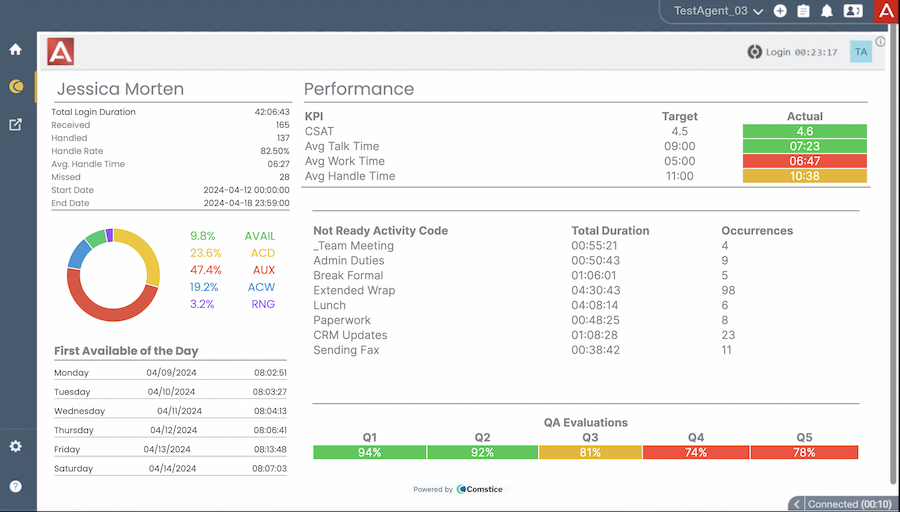
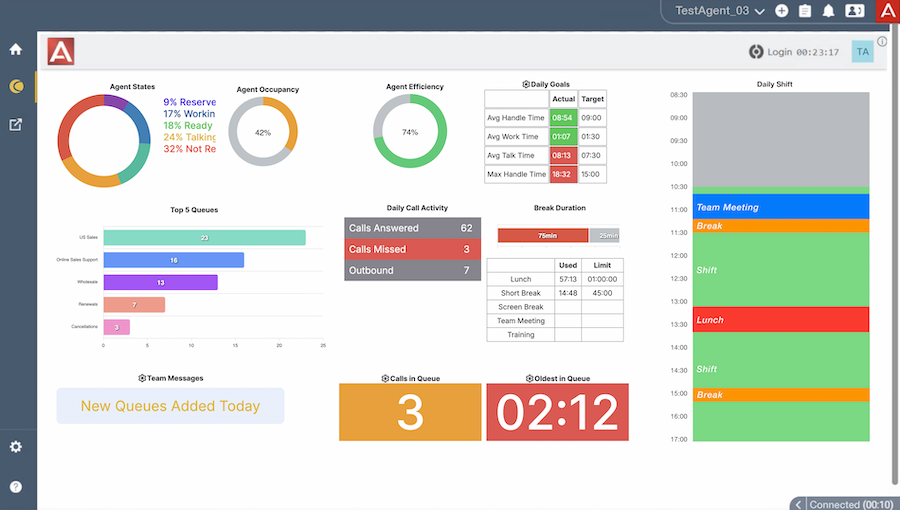
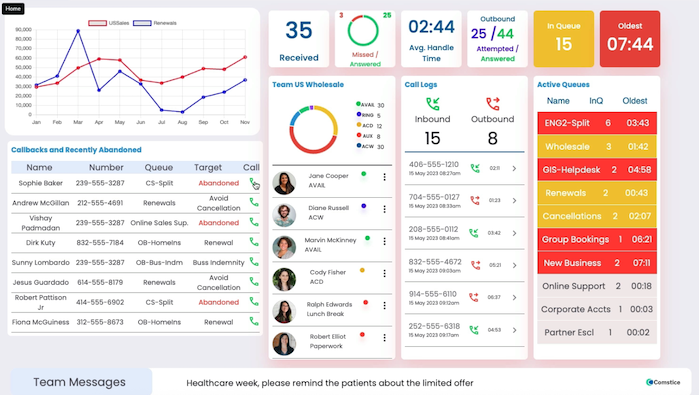
- Agent Dashboard for the real-time and daily performance
- Supervisor silent monitoring, barge, intercept features inside Salesforce pages
- Comstice Workforce Management, Shift Schedule information inside Salesforce
- Agent and Team Scorecards for the agents and supervisors
-

-

-

-

-

-

-

-

-

-

-

-

-

-

-

-

-
What is the license model for Comstice Webphone?
There are annual and long-term subscription options available for the named or concurrent users.
-
Do I need additional licenses on Avaya and/or Cisco?
Webphone registers as a SIP Phone on Avaya CM and Cisco CUCM for enterprise users. For call center agents you need Avaya AES Basic TSAPI license per agent and Cisco Finesse licenses for UCCX and UCCE/PCCE.
-
Are there any Supervisor features available inside Salesforce?
Yes. Supervisors can monitor agents, using silent monitoring, barge-in, intercept and other features.
-
Does this solution support omnichannel?
Yes. It supports web chat, SMS chat, WhatsApp and customer Email management. Check out Comstice Messaging to learn more.
Depending on your business requirements Comstice Messaging components can be deployed.
-
What is the difference between Comstice Webphone and Other Solutions?
There are other solutions available as an alternative. Here are two points. First, those solutions do not include phone element. User still need to have softphone or physical phone.
Second; webphone solutions are vendor-specific and often get discontinued due to strategic changes. Comstice Webphone will not be discontinued in the next fifteen years.
-
Can Cisco Callmanager users have Salesforce Webphone even though they are not call center agents?
Yes. Comstice Webphone gets registered to Cisco CUCM via Comstice WebRTC Gateway. WebRTC session is converted to SIP using Comstice WebRTC Gateway running on your network.
-
Can Avaya Telephony users have Salesforce Webphone even though they are not call center agents?
Yes. Comstice Webphone gets registered to Avaya Session Manager via Comstice WebRTC Gateway. WebRTC session is converted to SIP using Comstice WebRTC Gateway running on your network.
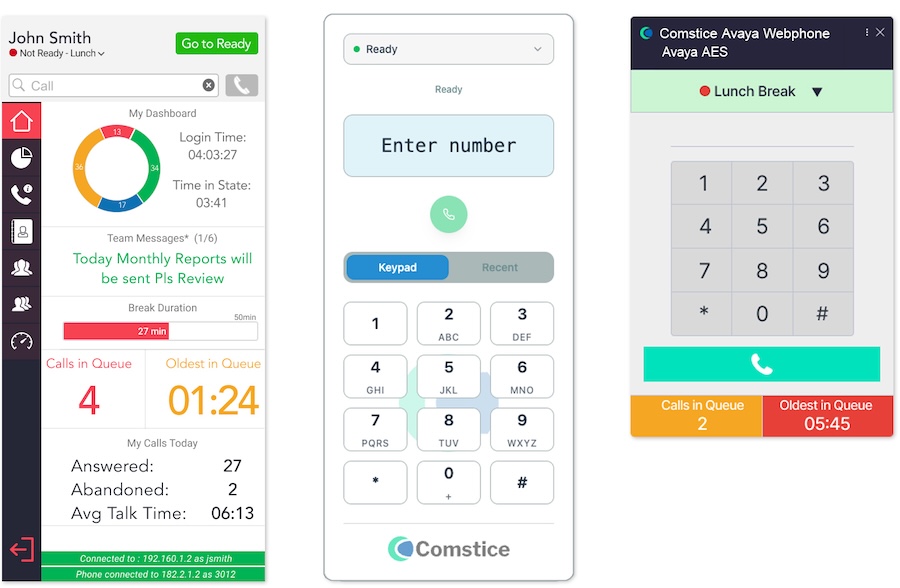
Different Skin Options
Various Webphone skins for contact center agents, enterprise users, remote workers based on the features and business requirements.
Agent and Supervisor Controls
Click here for ServiceNow Webphone for Avaya and Cisco Telephony and Contact Center Agents.
Preferred By
Download Data Sheet for
Features, Architecture, and Project Plan
Get all the details about Salesforce Webphone for Avaya and Cisco Telephony, including features, comparison with the alternatives, architecture, server specifications and the sample project plan.
Avaya Data Sheet Cisco Data SheetOur Partners
Learn more about the configuration steps for Salesforce Avaya Webphone and Salesforce Cisco Webphone by Comstice
Salesforce Webphone for Avaya and Cisco FAQ