
Top Six Avaya Workspace Widgets
Best tools for your contact center experience.
Customer messaging, video support, workforce management, AI agent assist, real-time sentiment analysis, scorecards, and dashboards.
Omnichannel experience with on-premises solutions.
AI use cases for on-premises Avaya contact centers.
CRM integration for click to dial and screen pop.
Why Comstice Widgets
Single Interface for All Tools
Access all the agent features, tools and reports from the same console.
VPN-Less Remote Working
Remote working and faster outsourcer onboarding.
Omnichannel
Customer texts, Whatsapp and email support with workspaces widgets.
CRM CTI Connectors
Better Integration with CRM with contact logging and webphones.
Real-Time Notifications
Queue and shift notifications on agent web console.
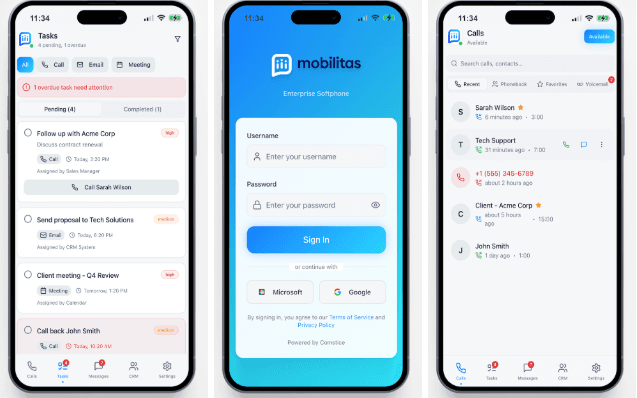
Mobile Support
Synchronized with Comstice mobile apps for messaging and WFM.
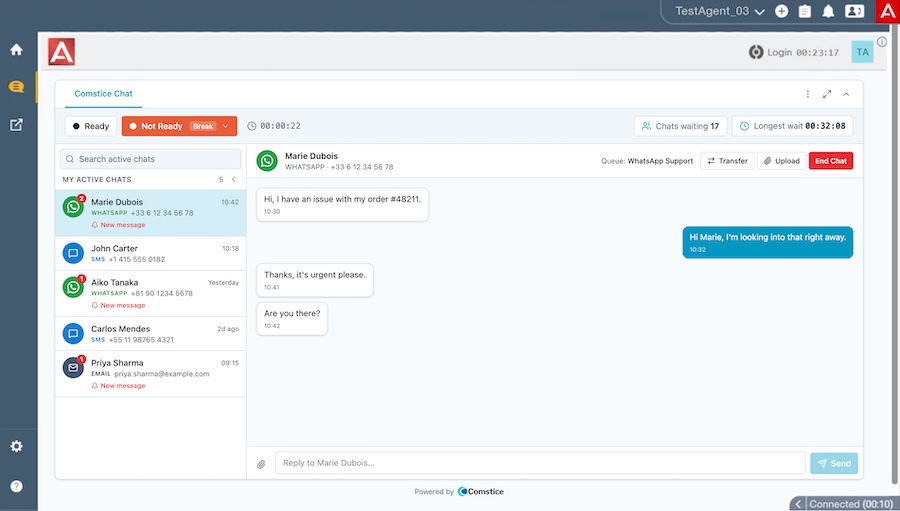
Text Chat and WhatsApp Messaging
Handle customer texts, WhatsApp messages and emails with the power of persistent messaging. Avoid time outs on live web chats with mobile text and WhatsApp chats, where customers are willing to wait for the expert help. Learn more.
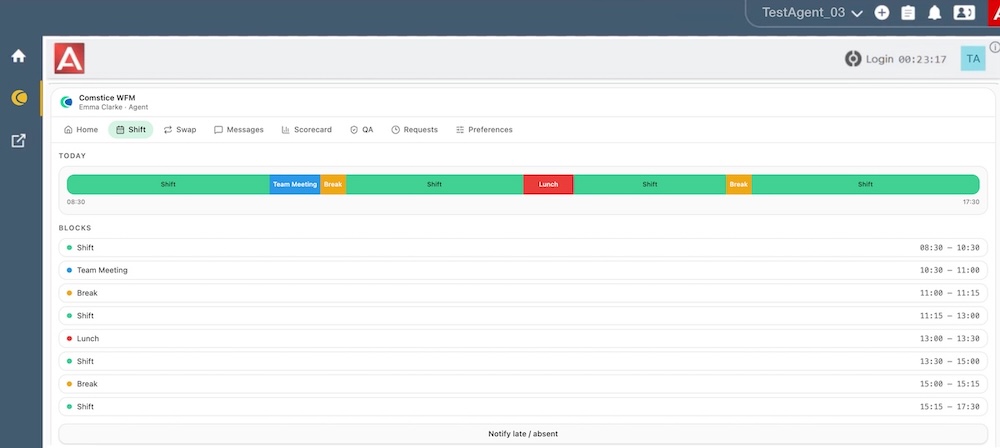
Workforce Management
Social-media style workforce management feed, today's shift schedule, shift swaps, quality analytics scores and notifications. Learn more.
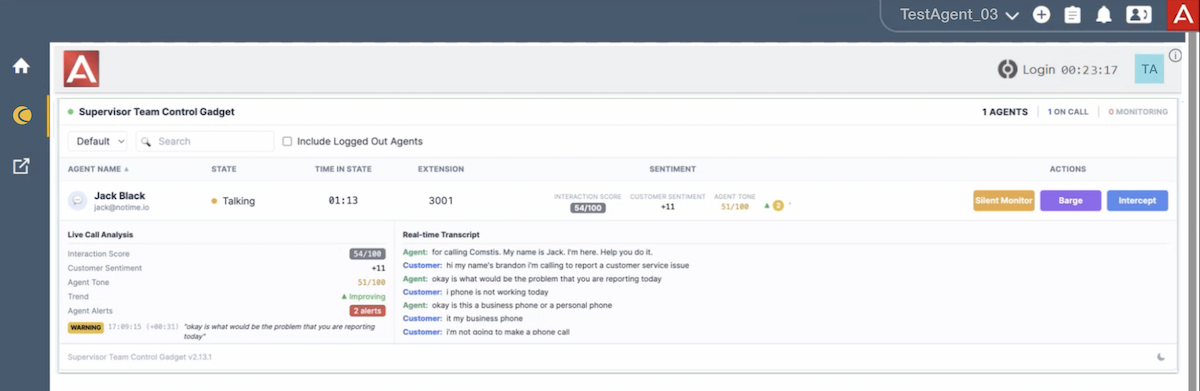
Real-Time Sentiment Analysis
Comstice WFM with Call Recording creates real-time transcript of the call as well as the parameters such as interaction score, customer sentiment, agent tone, trend, and agent alerts. Learn more.
AI Agent Assist
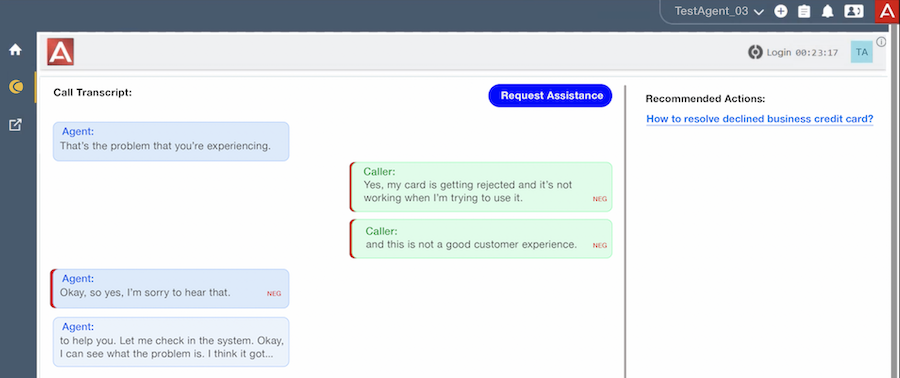
Comstice WFM with Call Recording creates real-time transcript of the call and presents potential action plans for the current conversation. This helps agents to handle calls from the skills that they are not fully trained for. Learn more.
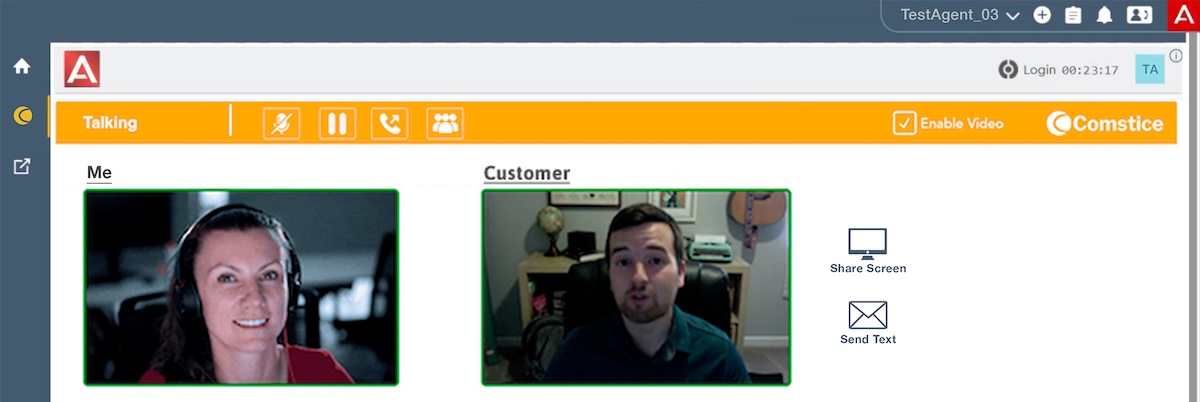
Video Call Center
Convert an existing call into a video call with screen sharing. Check out video call center solution page to learn more.
Scorecards and Dashboards
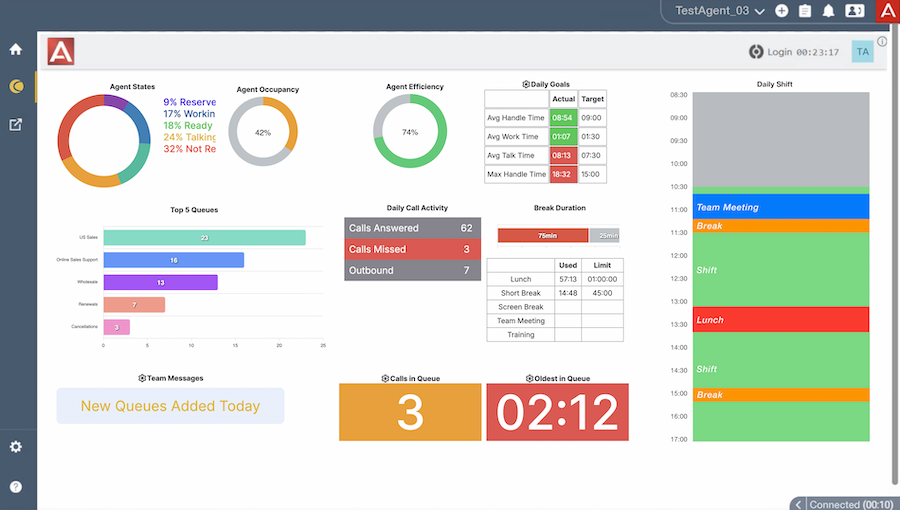
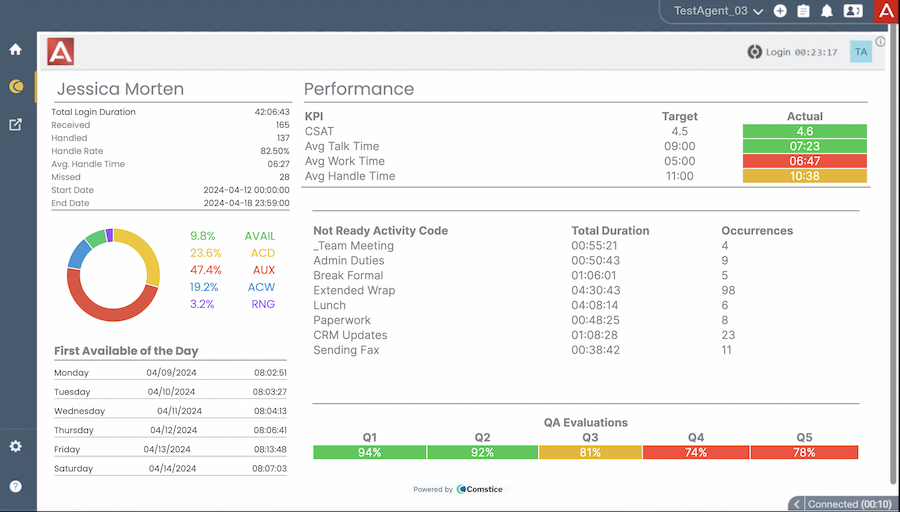
Agents can access their daily, weekly and monthly scorecards as well as real-time dashboard including today's shift schedule. Learn more.
-
Dashboard
-
Scorecard
-

-

-

-

-

-

-
What is the license model for Avaya Workspaces Widgets?
It depends on the solution of each widget. It is licensed based on the number of agents users with annual or longer subscription options.
-
Can we host all these solutions on our network ?
Yes, you can host them or Comstice can host them for you.
-
What happens if your agents do not use Avaya Workspaces?
Co Widgets are also available on a separate portal page that agents can login and access.
-
How long does is take to roll out these solutions on our network?
Once virtual servers are provisioned, it is around two to four weeks of leadtime.
-
Can Comstice create custom widgets if we need it?
Yes, Comstice can create custom widget for your specific business requirements.

Download Data Sheet for Features, Architecture, and Project Plan
Get all the details about Avaya Workspaces Widgets Implementation and Use Cases, including features, comparison with the alternatives, architecture, server specifications and the sample project plan.
DownloadOur Partners
Avaya Workspaces Widgets FAQ