

Turn Contact Center Calls Into Video Chat
Add video to customer calls without changing how customers reach your contact center.
Customers can call by phone, start a call from your website, or connect through your mobile app. Once an agent answers, the call can move from audio to video without interrupting the customer journey.
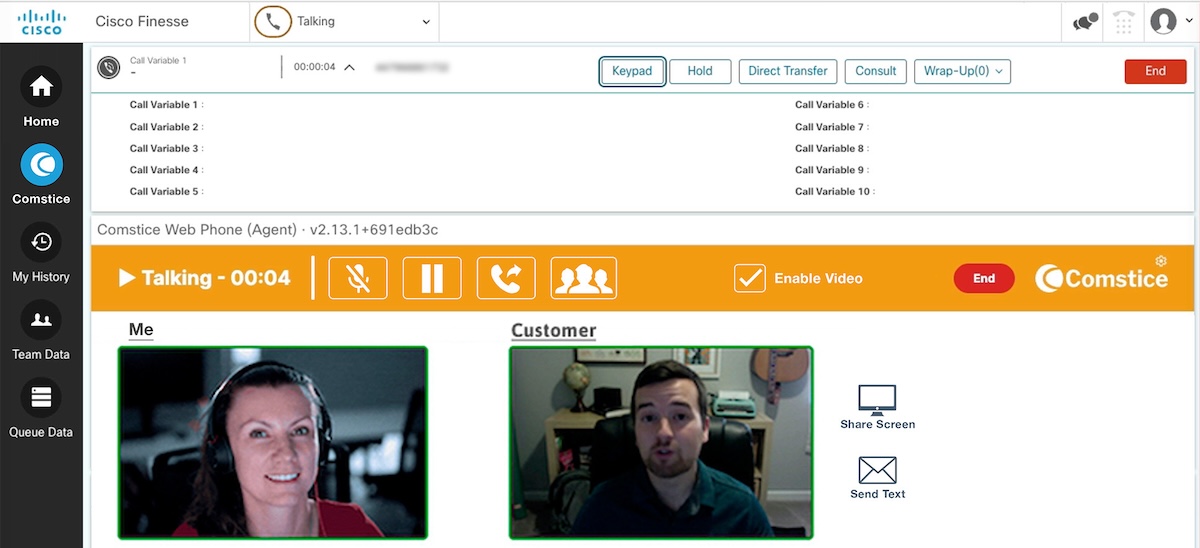
Help agents see, understand, and resolve customer issues quickly.
Create more personal, visual customer interactions.
Add visual engagement to existing customer service journeys.
Why Leaders Choose Comstice Video Call Center
Browser Sharing
Customer can share web browser experience and agent can help with the user experience.
First contact resolution
Visual context can help agents diagnose problems more accurately and reduce the need for follow-ups.
More personal service
Face-to-face interaction can create a stronger human connection during high-value customer conversations.
Less customer effort
Customers can begin with a phone call and move to video only if needed. No need to schedule a meeting or start with video.
New service opportunities
Offer remote consultations, assisted sales, premium support, visual verification, and use cases through your existing contact center.
Better use of specialists
Remote specialists can visually assess customer needs without travelling to the customer’s location.

One Conversation, From Voice to Video
Customers choose the most convenient way to contact your business. The interaction begins as an audio call and can be upgraded to video once the customer and agent are connected.

Call by phone
- The customer dials your existing contact center number through the public telephone network.
- Once connected to an agent, customer receives an SMS/Email containing a secure web link. Opening the link launches the video experience in the customer’s desktop browser or mobile browser.

Call from your website or Kiosk
- The customer selects a call button from a desktop or mobile browser. After the required reCAPTCHA checks are completed, the audio call is initiated. Comstice converts this WebRTC call to SIP on your network.
- The agent can upgrade the existing interaction to video directly during the call.

Call from your mobile app
- The customer taps a call button inside your company’s mobile application.
- The agent can upgrade the existing interaction to video directly during the call.
Video Engagement Built Around the Contact Center Conversation
Voice-to-video escalation
Move an active audio interaction to video automatically or when initiated by the agent.
PSTN video invitation by Text
Send phone callers a web link that enables them to join the video session through a supported browser.
Web click-to-call
Allow customers to begin an audio call from a desktop or mobile website after completing the required reCAPTCHA verification.
Mobile-app calling
Embed a call entry point within the company’s mobile application and provide a natural path from audio to video.
Agent-controlled video upgrade
Give agents control over when video is introduced, helping ensure it is used only when relevant to the interaction.
Flexible video journeys
Configure video escalation according to the service, queue, customer journey, or business process.
Video Call Center Use Cases
Here are the top use cases along with retail and assisted sales,

Premium Customer Service
Comstice Call Recording also supports video recordings for compliance..

Identity Validation
Validation of identity and consent for the actions to be planned.

Assisted Sales
Agents can demonstrate products, answer questions, compare options, and provide a more consultative remote-shopping experience.
Bundle With
Our customers often bundle Comstice Video Contact Center with the following solutions;
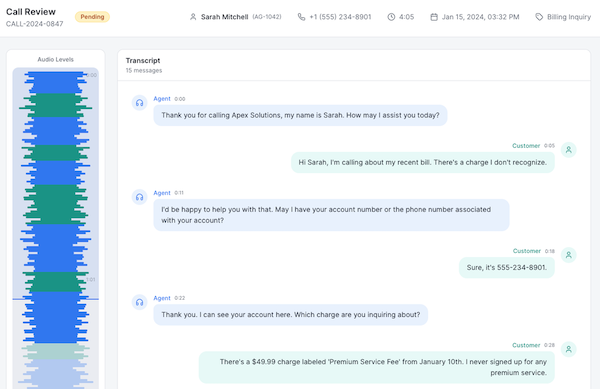
Call Recording
Comstice Call Recording also supports video recordings for compliance. Learn more..
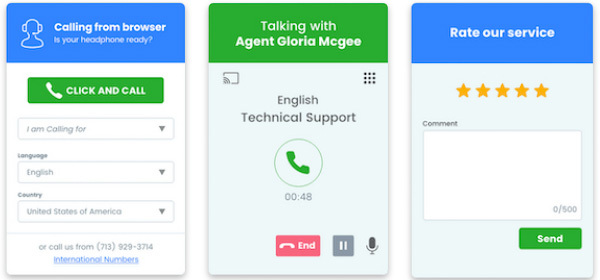
Web Click to Call
Accept customer calls from your web pages and mobile apps as WebRTC call and Comstice converts it to a SIP call on your network securely .Learn more.
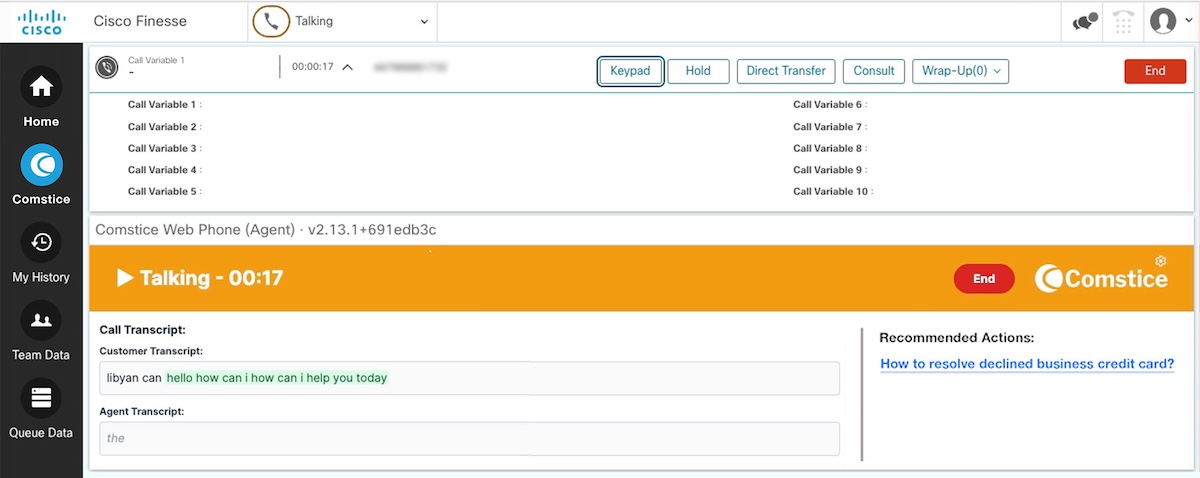
Cisco Finesse Gadgets
Video call handling widget among many Cisco Finesse gadgets available.Learn more.
Download Data Sheet for
Features, Architecture, and Project Plan
Get all the details about Comstice Video Call Center, including features, comparison with the alternatives, architecture, server specifications and the sample project plan.
Cisco Video Call Center Data SheetOur Partners






Cisco Video Call Center FAQ
-
How can a customer start a video call?
They can either make a call center call from your standard phone number and convert or start a WebRTC call from your website pages.
On a normal call, the agent who answered the call will send a mobile text message to move the call to a video call. Existing call will remain but muted.
-
Do I need additional licenses on Cisco?
No additional licenses needed on Cisco for this solution.
-
How can we record these calls?
Comstice Call Recording for Cisco can record video calls. Check out Comstice Cisco Call Recording to learn more.
-
What is the license model?
It is offered with annual or longer subscription options . It is based on the number of agents that will use the widget or the number concurrent video channels.