

Cisco UCCX Reporting Administrator Guide
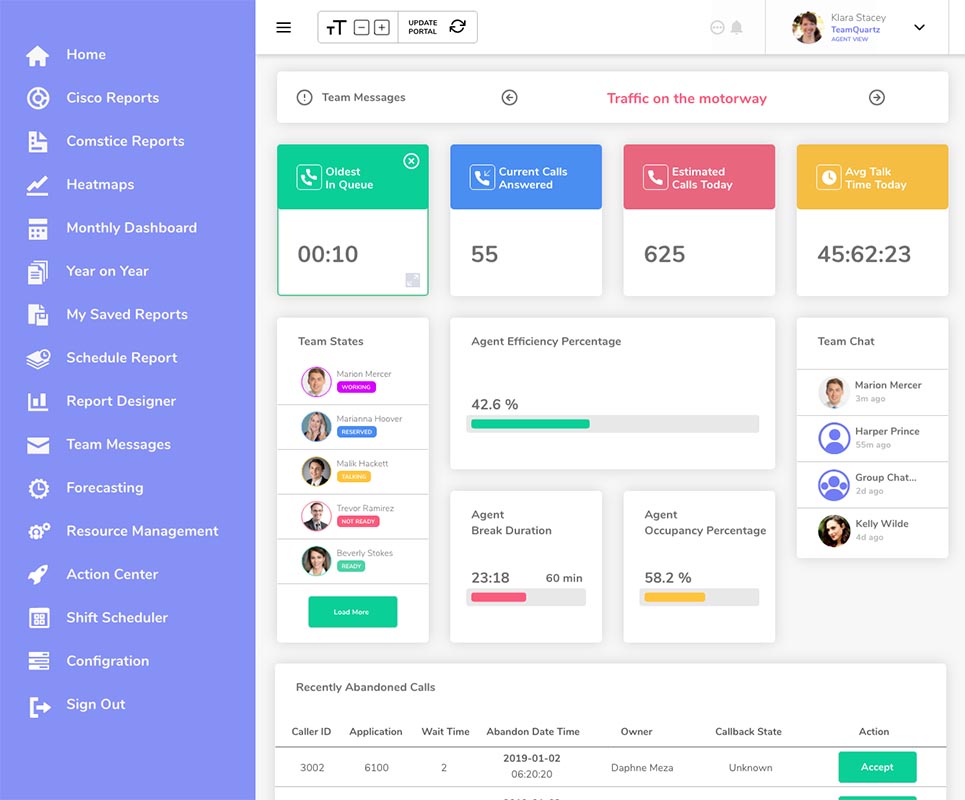
Comstice Quartz Reporting and Analytics solution helps to access Cisco UCCX Stock Reports from the web browser, offers Comstice Stock Reports we built over the years using industry best practices as well as cradle to grave reports, report scheduling, call tracker, heatmaps and monthly dashboards with drilldowns.
Comstice Quartz stores your detailed call history on its own database so that, even after Cisco UCCX database overwrites data after twelve months, you can still access detailed call information and cradle to grave reports.
Comstice Quartz System Requirements
Comstice Quartz runs on LinuxOS. Quartz services run as Docker containers or Kubernetes pods. Any LinuxOS distribution can be used. For Redhat, client needs to provide Redhat license.
Comstice Quartz Services
- Spring Service: Replicates data from Cisco UCCX Informix Database.
- Wizard Service: Communicates with Cisco CUCM for AXL Login access.
- Qexpress Service: Backend service to retrieve data from the database and for agent reskilling.
- CDR Service: Processes CDR files receives and saves the data into PostGreSQL database.
- Web Server: Web server and reverse proxy for the web user interface.
- Database Service: PostGreSQL database running locally.
Cisco UCCX Integration
Comstice Quartz integrates with Cisco UCCX with uccxhruser account. Quartz replicates the data from UCCX regularly and stores the data even after Cisco UCCX database is purged. Data retention is five years by default. You can update this from DATA_RETENTION environment variables.
Cisco Callmanager CDR Integration
Comstice Quartz also stores the Cisco CUCM Call Detail Records. Users can access to Cisco CDR records, search and export data as CSV. Cisco CDR integration is done through SFTP. USer account comsticesftp is created on the Comstice Quartz server and
Cisco Callmanager AXL Integration
Comstice Quartz integrates with Cisco CUCM to authenticate the users. If your Cisco CUCM is integrated with your Active Directory, Comstice Quartz users can use their existing active directory accounts to login. For this, a cisco CUCM Application suer is created with AXL API Access permissions.
If there is a policy to update that application user, new password must be updated on the environment variables and Comstice Wizard service must be restarted.
Single Sign-On
Comstice Quartz also supports single sign-on with Microsoft, Google and Okta. Comstice professional services team provides the details of the information required for SSO integration with the relevant platform during deployment. For any changes on the SSO settings, please contact Comstice Support to update your settings.
Cisco UCCX Agent Reskilling
Comstice Quartz helps users to reskill agents; you can add new skills to an agent or remove existing skills. You can also add and remove agents to selected skill.
For Agent Reskilling, you need to create a new Cisco CUCM End User and assign that user administrator permissions on Cisco UCCX. Again, if the password of this account is updated, you also need to update the password field in the Comstice server environment variables and restart Comstice Quartz Qexpress Service.
Comstice Quartz Licensed Agents
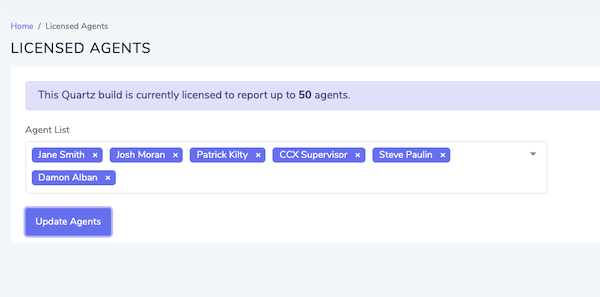
There is no license limit for the number of concurrent users. Licensing is based on the number of named agents. Those named agents must be selected under Comstice Quartz web interface Configuration > Licensed Agents page, so they can be reported.
Report Permissions
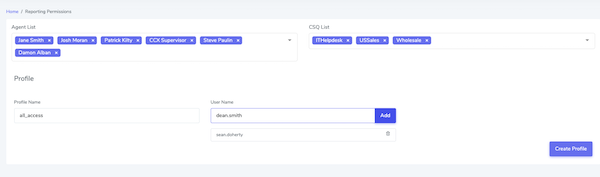
You can create profiles to define which agents, teams and CSQs each user can access by creating profiles. You can assign one or more users to a profile. You can add any Active Directory and Single Sign-On user into this.
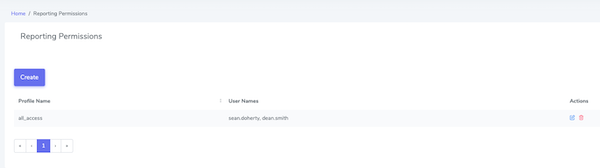
You can chave multiple profiles, edit to add and remove agents and delete them from Configuration > Report Permissions section.
Cisco UCCX Agent Reskilling
Comstice Quartz helps users to reskill agents; you can add new skills to an agent or remove existing skills. You can also add and remove agents to selected skill.
For Agent Reskilling, you need to create a new Cisco CUCM End User and assign that user administrator permissions on Cisco UCCX. Again, if the password of this account is updated, you also need to update the password field in the Comstice server environment variables and restart Comstice Quartz Qexpress Service.
#Main service folder
cd /opt/server/dryRun-cisco-uccx
#Edit environment variables
nano /opt/server/dryRun-cisco-uccx/.env
#Display the service logs on the SSH screen
dco logs -f spring
#Display the wizard service logs on the SSH screen
dco logs -f wizard
#Display the qexpress service logs on the SSH screen
dco logs -f qexpress
#Restart the web service logs on the SSH screen
dco restart nginx
#Graceful shutdown of the server
shutdown -h now
#Restart the server
reboot
Conclusion
Comstice Quartz helps customer service managers and call center agents to get automated reports by email, monitor their performance, set thresholds and visualize performance. If you have a specific reporting requirement or a use case, please open a ticket to Comstice via your Internal IT and we will be able to help.