

Cisco UCCE CVP Configuration Guide with MRCP for ASR and TTS
March 26, 2026
Cisco UCCE CVP MRCP Configuration Guide for ASR and TTS
Comstice offers, on-premises automatic speech recognition (ASR) and text-to-speech (TTS) features for your Cisco UCCE / PCCE and CVP infrastructure. This document explins the details of the integration with Cisco Voice Portal (CVP) or Virtualized Voice Browser (VVB) in Cisco UCCE solutions via MRCP for speech recognition and text to speech. Click here to learn more about the languages supported for ASR and TTS by Comstice.
Cisco VXML Gateway
Cisco VXML Gateway is part of the Cisco CVP solution. Legacy VXML Gateways run on Cisco IOS devices as "Cisco IOS VXML Gateways". In the recent years Cisco Virtual Voice Browsers (VVB) are used as the VXML Gateway. This document only covers the Cisco VVB configuration. IOS VXML Gateway configuration varies based on the IOS version and the image details. Please refer to the relevant Cisco IOS VXML documentation for the configuration steps. Comstice deployment team can also help you to configure your specific IOS version as a VXML Gateway.
Configuring ASR on Cisco Virtualized Voice Browser
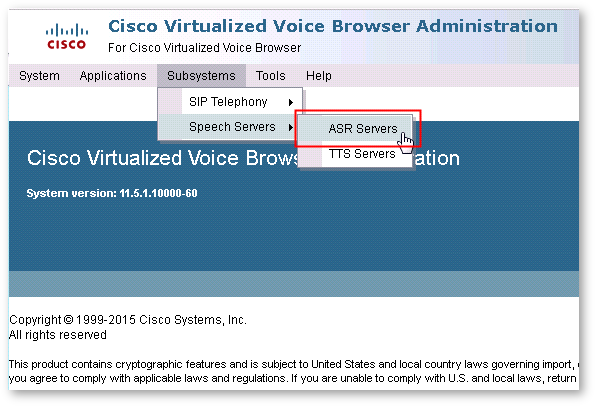
On the Cisco Virtual Voice Browser Administration portal in your web browser, navigate to the Subsystems > Speech Servers > ASR Servers menu option:
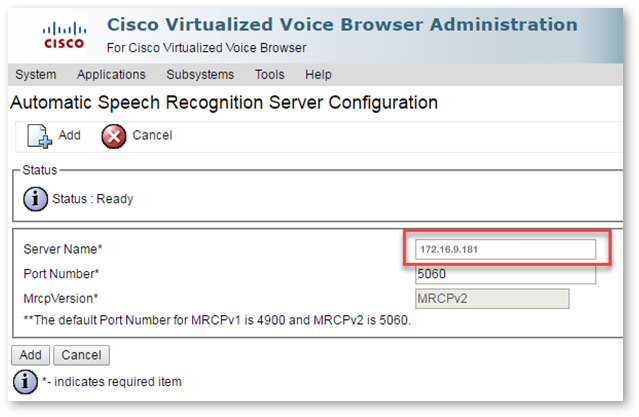
Enter the IP address of the Comstice ASR server that you need to connect to. Port number is 5060:
Configuring TTS on Cisco Virtualized Voice Browser
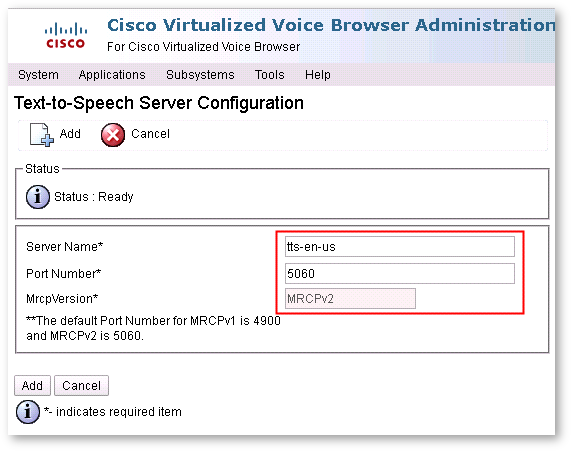
From the Cisco Virtual Voice Browser Administration portal, navigate to Subsystems > Speech Servers > TTS Servers, configure the IP address of the Comstice TTS server you need to use. Port number is 5060;
Selecting MRCP Protocol
On the Cisco Virtual Voice Browser Administration menu, navigate to System > System Parameters option to launch the System Parameters Configuration page:
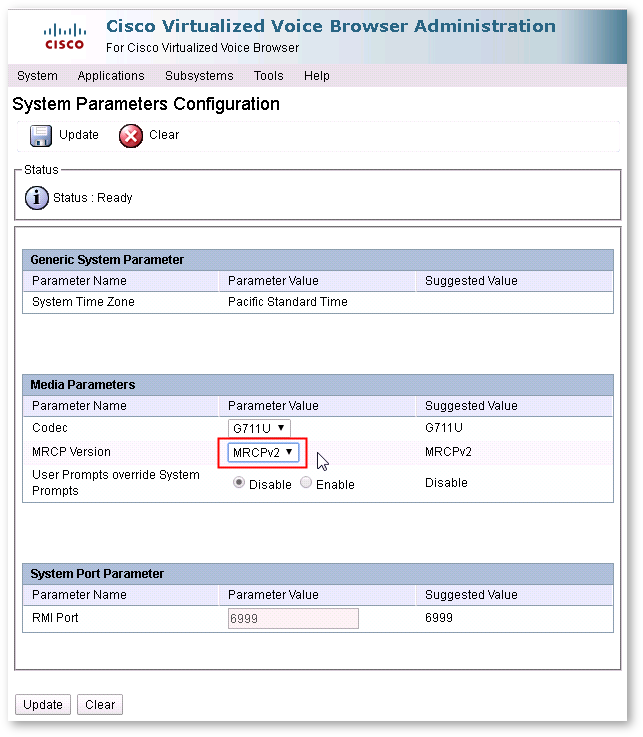
You should stick to MRCPv2 unless advised otherwise by Comstice.
Restarting the Virtual Voice Browser Engine
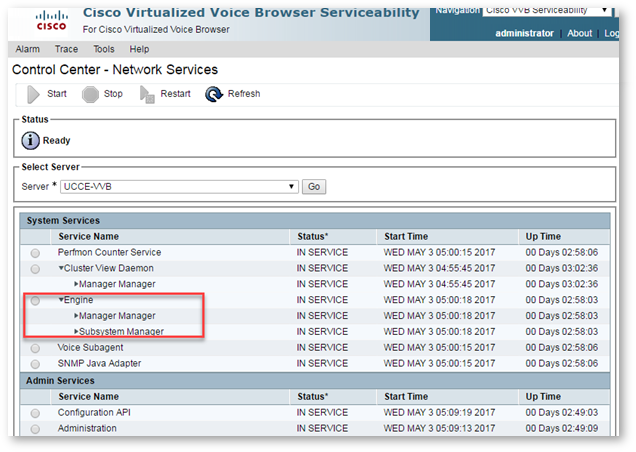
From the Cisco VVB Unified Serviceability menu, select the Tools > Control Center - Network Services menu option. Select the Engine Service Name and click the Restart button to restart the Engine services.
Validate ASR and TTS Servers are "Reachable"
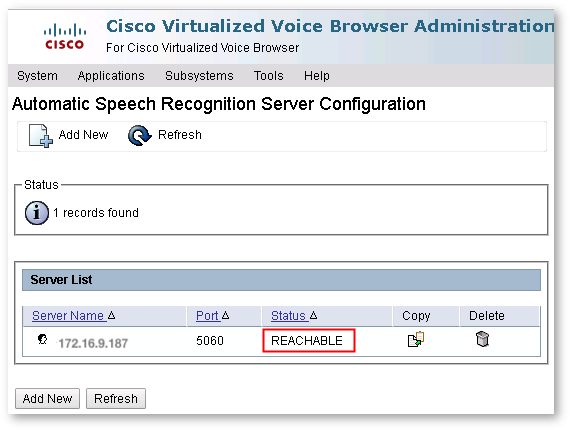
After the VVB Engine services are restarted, you need to confirm the connectivity between Comstice and Cisco VVB. Navigate to Cisco VVC Administration console and select Subsystems > Speech Servers > ASR Servers and verify that the Status is shown as REACHABLE as below:
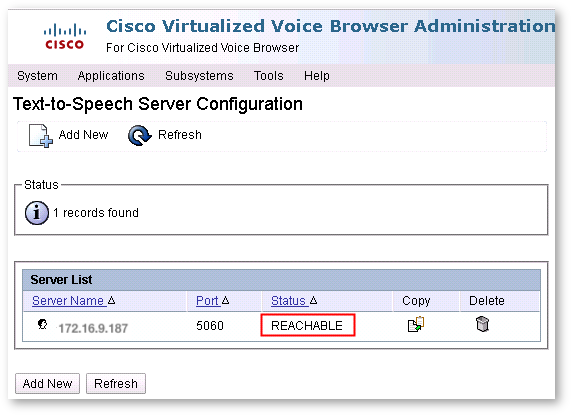
and also for the TTS Server, using Subsystems > Speech Servers > TTS Servers to once again confirm that the status is REACHABLE.
Conclusion
ASR and TTS integration offers great flexibility to create new use cases with Cisco contact centers. Click here to discuss your use cases and request callback.