

On-Premises Outbound Dialer for Cisco UCCX Contact Centers
On-Premises Outbound Campaign Dialer Solution for Cisco UCCX and Finesse
Run, monitor and improve your campaigns with an on-premises solution that offers CRM webphones, faster agent onboarding for outsource partners and great reporting with real-time dashboards.

Bring Growth and Retention with Campaigns

Easy Onboarding with Outsource Partners
Eliminate any software installations on agent PCs for faster onboarding and remote login.

Agent Webphone inside CRM Pages
Agent webphones inside CRM pages for screen-pop and click to dial.

Easy Call Backs, Faster Sales Cycles
Add "Call me back" button on all the web and mobile interfaces.
Why Leaders Switch to Comstice Dialer
CRM Webphones
Agent Webphone in CRM Pages
Fast Onboarding
Secure, VPNLess Connection
On-Premises
Full data privacy and higher uptime.
Higher Agent Occupancy
Integrates with WFM Forecasts.
No Client Installation
Any generic PC can be used.
Screen-Pop
Agent profile From CRM or backoffice apps


"Call Me Back" Button
One of the great features of amazon.com's customer service is the "call me back button". It helps customers to request a call back easily and the amazon.com customer service calls back within seconds with the full information of the customer, product and potential resolutions.
You can implement "call me back" button into your customer service pages and ticket emails so that Comstice Outbound Dailer can automatically call your customer and connect them to your teams in seconds.
Bundle With
Expand your outbound campaign capabilities by bundling your Comstice Outbound Campaign Manager with the following solutions.
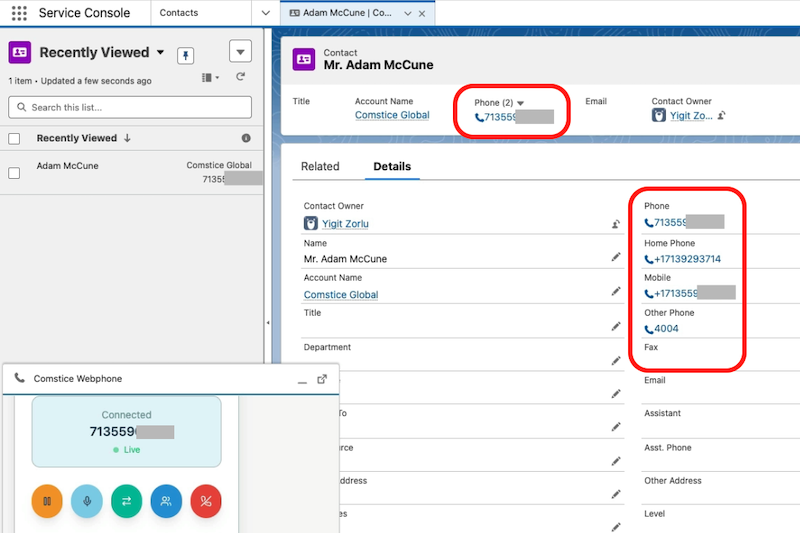
CRM Agent Webphone
Eliminate any software installation on agent PCs by using Comstice Agent Webphone inside your CRM pages such as Salesforce and ServiceNow.
Learn More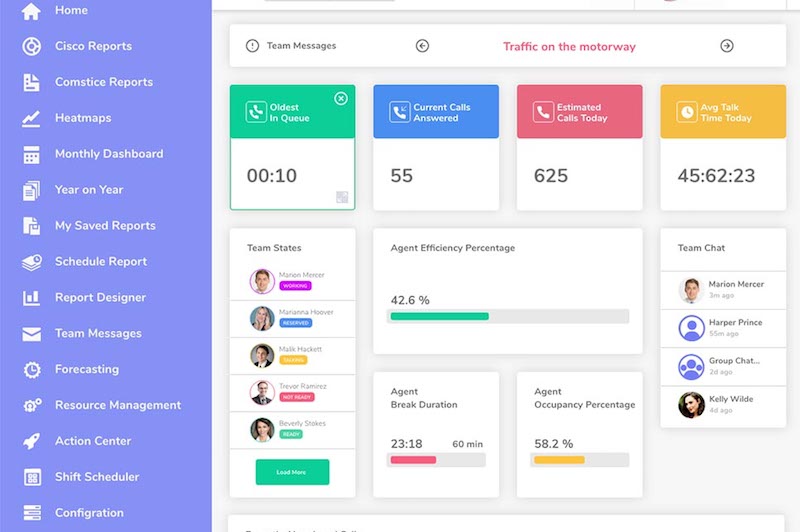
Reporting and Analytics
Create outbound campaigns, assign business outcomes to contacts, report performance using real-time and historical reporting features.
Learn More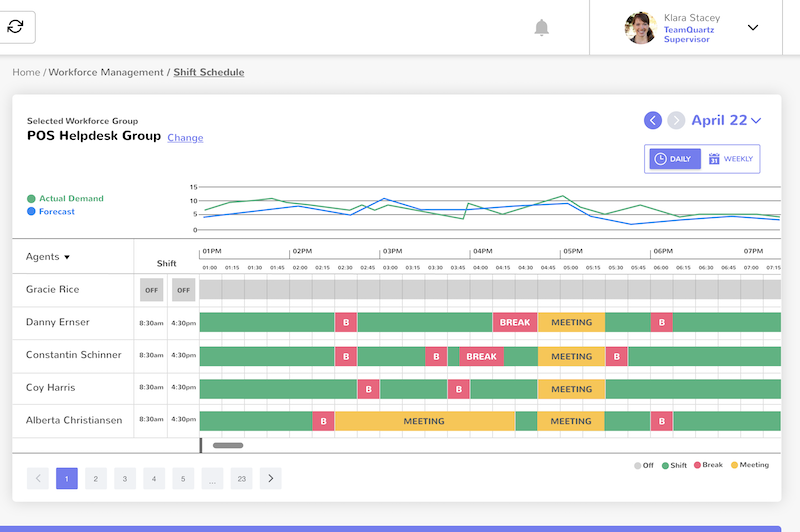
Comstice Workforce Management
Integrate outbound campaigns with Comstice WFM so that the calls can be generated during when incoming call estimates are lower.
Learn MoreClick here for Cisco Contact Center Suite of Solutions by Comstice.
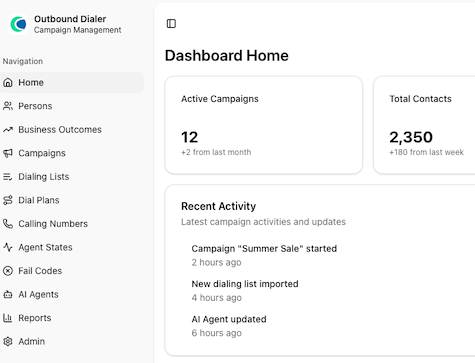
How It Works
- Create and upload the dialing lists.
- Create business outcomes and outcome groups.
- Build a new campaign with the dialing lists, business outcomes, dial plans and calling numbers.
- Monitor real-time activity and report performance in detail.
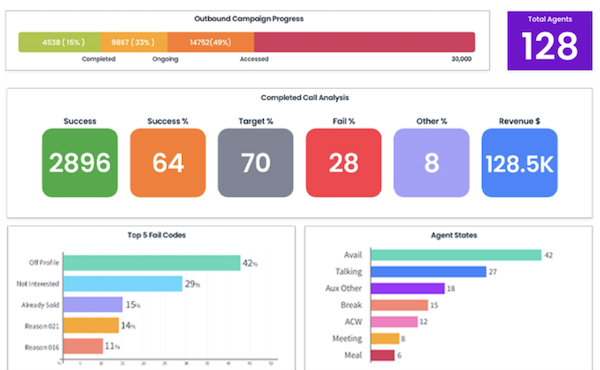
Reports and Dashboards
- Historical reports about the agent performance, campaign performance, business outcomes, outbound calling performance and overall business goals.
- Real-time dashboards about the called numbers, potential revenue, contacts closed, fail codes and overall campaign footprint.
- End of day agent and team performance scorecards by email.
- Update of the phone activity on the CRM records for each contact.
Preferred By










Download Data Sheet for
Features, Architecture, and Project Plan
Get all the details about Comstice Outbound Campaign Manager for Cisco UCCX, including features, comparison with the alternatives, architecture, server specifications and the sample project plan.
Download Data SheetOur Partners






Learn more about Cisco Contact Center Suite by Comstice
Comstice Outbound Dialer for Cisco UCCX FAQ

-
What is the license model for Comstice Dialer?
It is based on the number of named or concurrent agents.
-
Do I need additional licenses on Cisco UCCX to use Comstice Dialer?
No.
-
Can we restrict admin features?
You can create profiles about which features, which agents and campaigns user can access.
-
Can we create specific rules and conditions for a particular called number?
Yes, you can set the result codes, fail codes, call back preferences specific to each customer phone number. Dialer can also create a phone activity on your CRM for the called contact.
-
Is this solution on-premises or in the cloud?
Comstice Outbound Campaign Manager is designed to be run on-premises. Comstice can host it for your organization as well. It runs on a Linux VM as Docker containers.
-
Does Comstice Outbound Dialer offer a data warehousing feature?
For standard reporting and dashboards, you can use Outbound Dialer. For comprehensive reporting Comstice Quartz Reporting solution for Cisco UCCX can offer data warehousing, so that your historical data is archived, even when your call center database is purged.
-
Does Comstice Outbound Dialer include real-time dashboards?
Yes, you can monitor campaign progress and agent activity using the real-time and daily historical dashboards. For more comprehensive and blended reporting with the inbound, Comstice has a separate Cisco UCCX historical reporting and wallboard solution for the real-time and daily historical data. You can bundle these solutions with Comstice Outbound Dialer or purchase them separately.
-
Can I control the level of access that my team members and supervisors have?
Yes, you can. You will create profiles to assign permissions about which agents, skills, and teams they can report for each reporting user.
-
How long does it take to train an agent or supervisor on Outbound Dialer?
Typically we run one hour-long train-the-trainer session for supervisors, and we also provide video and pdf content. Agents usually watch the videos and do sessions with their team leaders.
-
How easy is it to send a report to a stakeholder who is not set up as an agent?
You can schedule a report and add the email address of the recipients.