

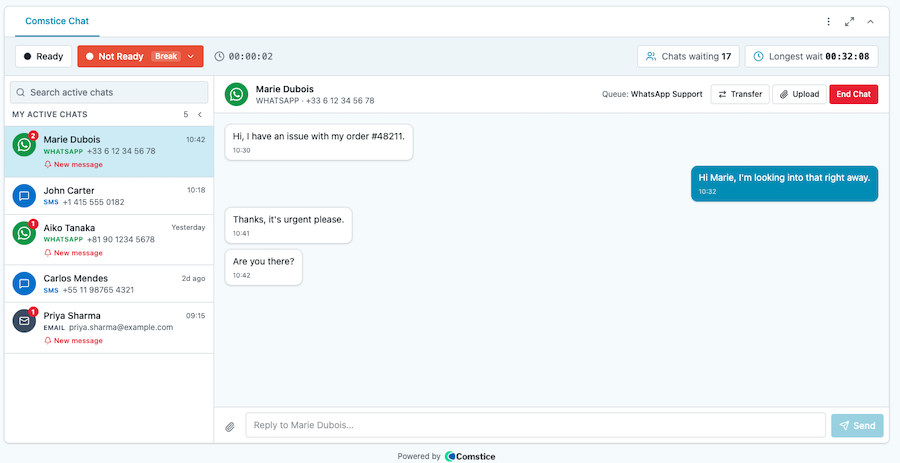
Avaya Workspaces WhatsApp Widget
Avaya Workspaces WhatsApp Widget is available for Avaya Aura, Multichannel Elite and ACCS. It helps agents to handle Whatsapp chats as well as mobile text (SMS), web chat and emails using the same Workspaces Widget. The solution also includes a simple ticketing system so you can see the multiple contacts from the same customer via different channels under the same ticket. Click here for the product page, data sheet and use cases.
Entire solution can run on your network or can be hosted by Comstice in the cloud.
True Omnichannel: Single Ticket Multiple Channels
You can handle multiple contacts from the same customer for the same issue under the same ticket. If customer sends a Whatsapp message and requests a call back, agent can call back the customer as soon as they are available and handle the call and the chat session under the the same ticket.
Avaya Workspaces Whatsapp Widget for Agents
Avaya Workspaces WhatsApp Widget helps agents to change their messaging state and retrieve contacts from the messaging queues based on their skills configured on Comstice Messaging Administration pages.
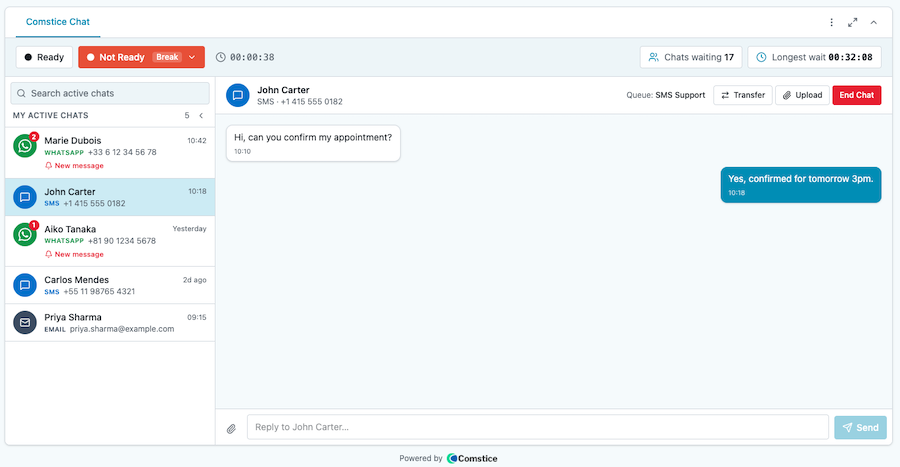
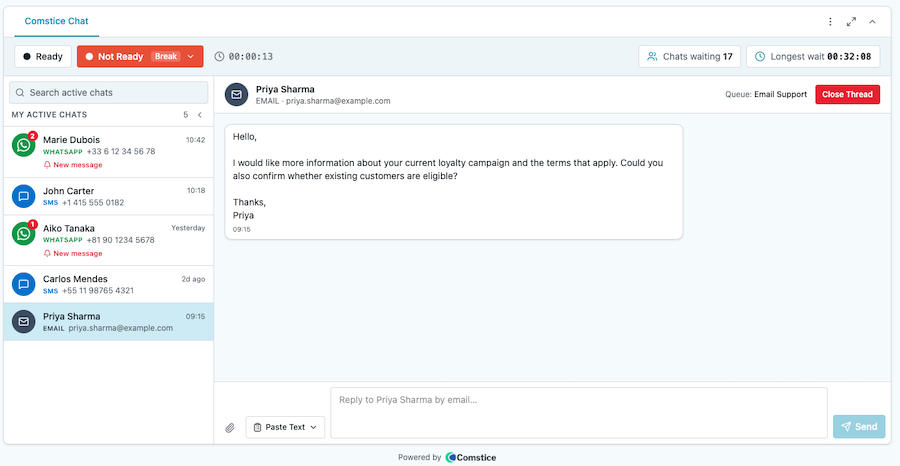
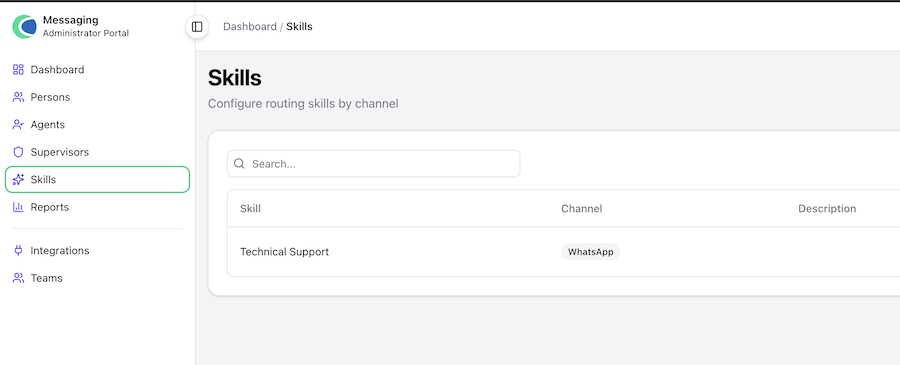
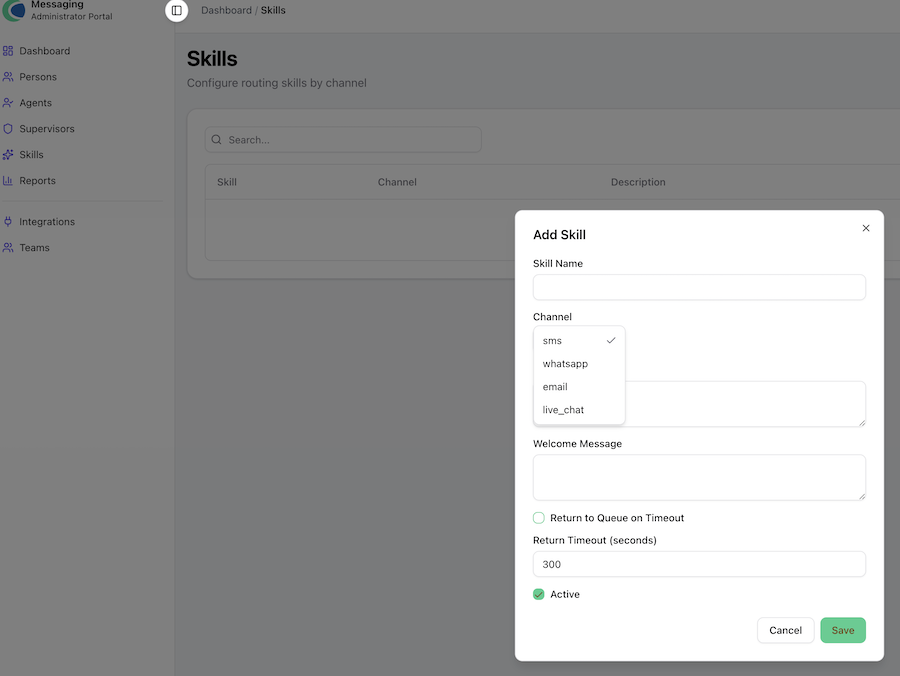
Avaya Workspaces WhatsApp Widget also includes the contacts received from mobile texts and emails. You can create different skills for each channel and assign agents to them using Comstice Messaging administration pages.
Avaya Workspaces Whatsapp Widget for Supervisors
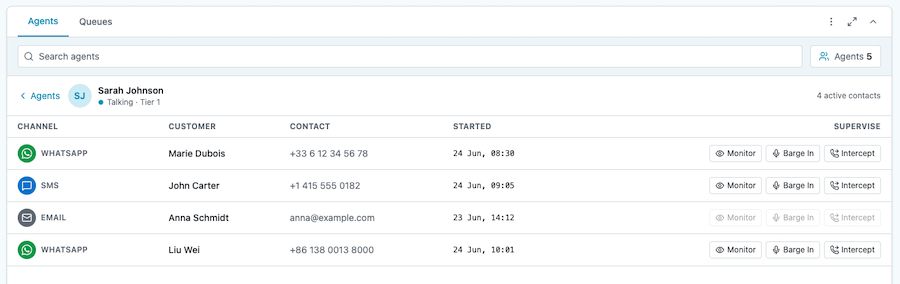
Avaya Workspaces Whatsapp Supervisor Widget can help supervisors to monitor agent activities real-time and drill down on an individual agent to get detailed information.
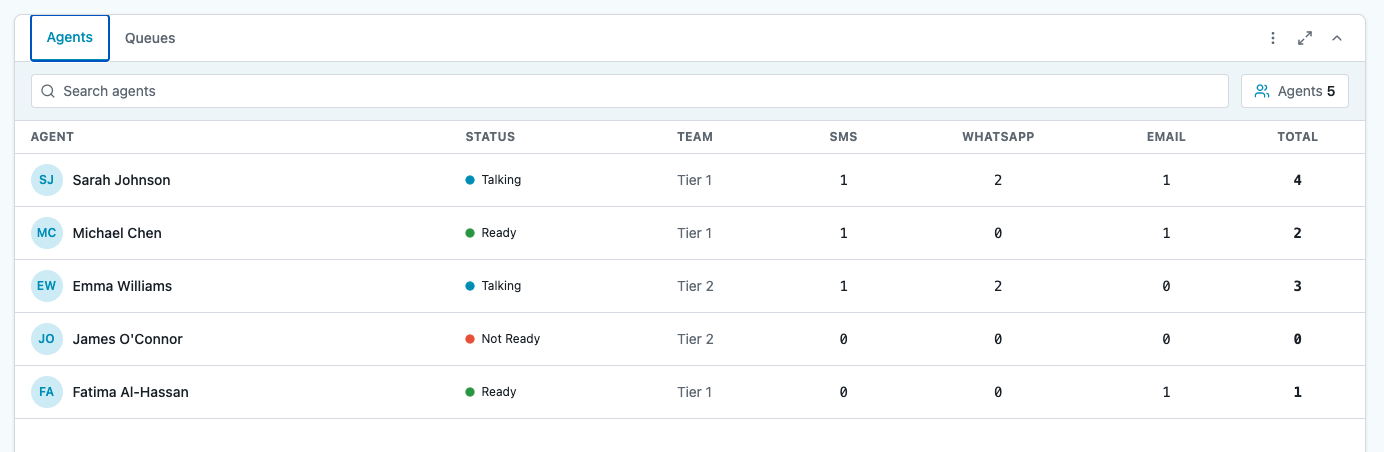
Once you click on a particular agent, you can see the agent's current contacts, also monitor the chat activity on mobile text and WhatsApp sessionss. If needed, supervisor can barge-in or intercept the conversation, just like in the voice calls.
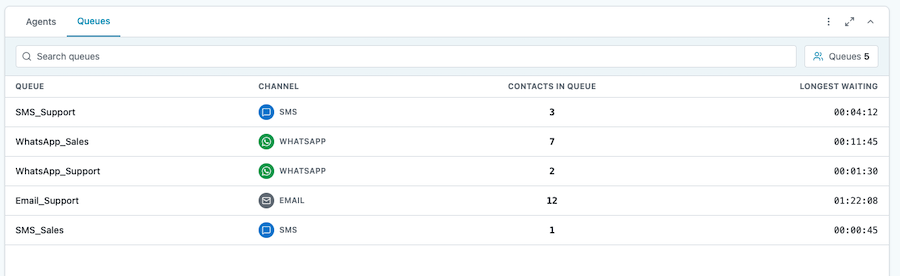
Supervisors can also monitor the real-time activity on each messaging queue for long-waiting contacts.
Mobile Text and Emails
Comstice Messaging solution is a complete platform that includes not only WhatsApp messages but also mobile text, web chat and email contacts.
Comstice Messaging Admin Portal
Comstice Messaging Admin Portal helps your nominated administrators to access, configure agents, supervisors and assign skills and queues to agents.
There are also other roles such as supervisor, reporting expert and forecaster. You can access to the reports, schedule and receive the reports by email.
Comstice Wallboard also includes the real-time messaging widgets so you can add messaging real-time data into your Comstice Wallboard real-time dashboards.
Use Cases
Power of Persistent Chat
Live web chats often expire prematurely and also they are not very mobile friendly. Persisten chats such as mobile text and WhatsApp do not have to be real-time; many customers are happy to wait as long as they will reach out to the subject matter expert who can hep.
Account Management Team for Each Client
For every single customers, you can have a small team of account managers who can handle the contacts from those customers. Customers can chat with their account managers directly before calling your customer service.
Account managers can handle the contacts from the Avaya Workspaces Desktop, Comstice Agent Console or Comstice Mobile Softphone App.
Subject Matter Experts
Experts who are not full-time agents but part of the customer journey can communicate with the customers through persistent chat, without getting interrupted from their daily tasks.
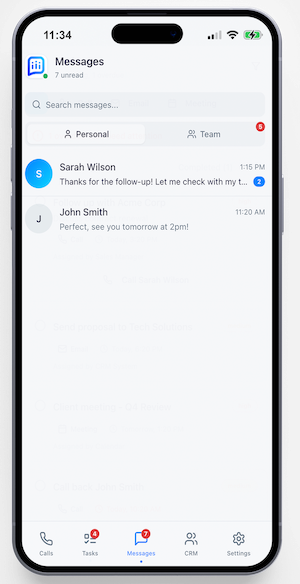
Using Comstice Mobile Softphone app, they can handle mobile texts, Whatsapp chats, make and receive calls without sharing their mobile phone number. They can disable calls and only handle messaging requests from the customers.
Integration with AI Chatbots
It is easier to integrate chats with AI, without any speech to text and text to speech needed. AI chatbots can ask questions to qualify the lead and make recommendations. If needed, it can escalate to a real human agent easily.
Conclusion
By classifying chat requests, distributing them within the team and responding them quickly, you can make mobile messaging the primary channel of communication for customer service. Click here to request callback and a demo.