

Higher Customer Service Performance
On-Premises Agent AutoSkilling Solution for Cisco UCCE and PCCE Contact Centers
Create a group of KPI thresholds and enable secondary skills of the selected agents automatically

Higher Agent Occupancy Better Customer Experience

Better Than Forecasting
Improve customer service performance real-time by reskilling your agents automatically.

Higher Agent Occupancy
Improve agent occupancy by reskilling them automatically based on your KPI thresholds.

Aligned with Shift Schedule
Use over-staffed shift intervals for reskilling. Revert back secondary skills at the end of each shift.
Why Leaders Use Comstice AutoSkill Solution
High Demand
Many businesses requested this solution from Comstice.
Standalone
It does not require any WFM solution and can work standalone.
On-Premises
Full data privacy and higher uptime.
Higher Agent Occupancy
Integrates with WFM Forecasts.
No Change on Agent Experience
No Finesse logout and relogin required.
Reports and Alerts
Receive alerts, create reports by email about autoskilling.


People Want to Talk to People
Dyson's call centers are one of the features the company utilises for marketing and making the brand loyalty stronger.
By enabling more customer service agents using autoskill solution, more customers will be able to talk to a representative and feel more positive about your company and the brand.
Bundle UCCE AutoSkill Solution With
Integrate Autoskill Solution with the following solutions for a complete productivity uplift at customer service.
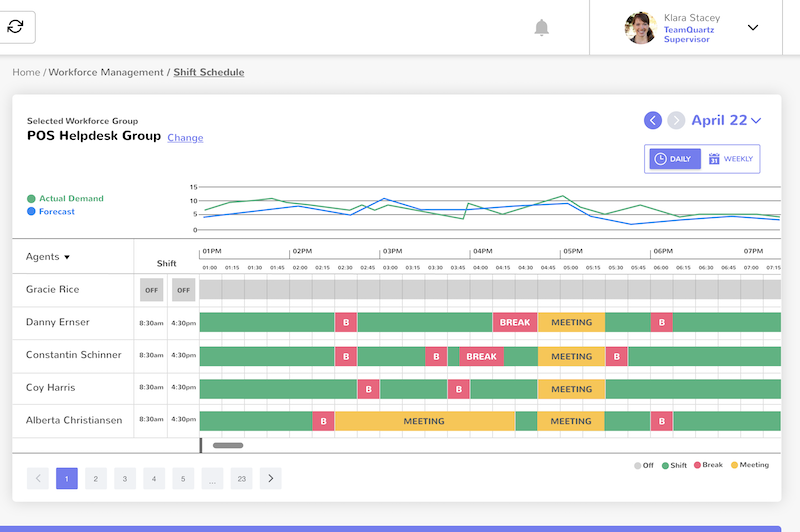
Comstice Workforce Management
Integrate Autoskill with Comstice WFM to monitor over-staffed intervals during the shift and revert back secondary skills after each shift.
Learn More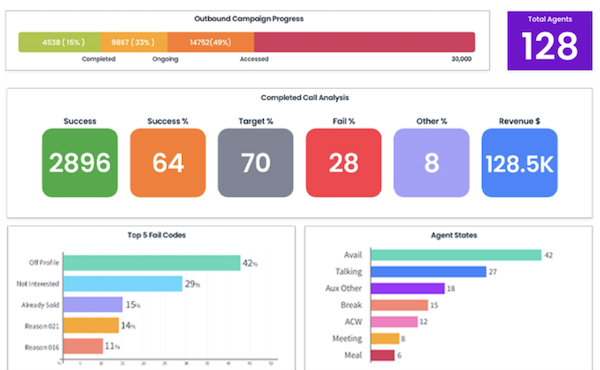
Comstice Outbound Dialer
Use outbound campaign skills as the secondary skillset and enable campaign activity using autoskill solution when the agents are underutilised.
Learn More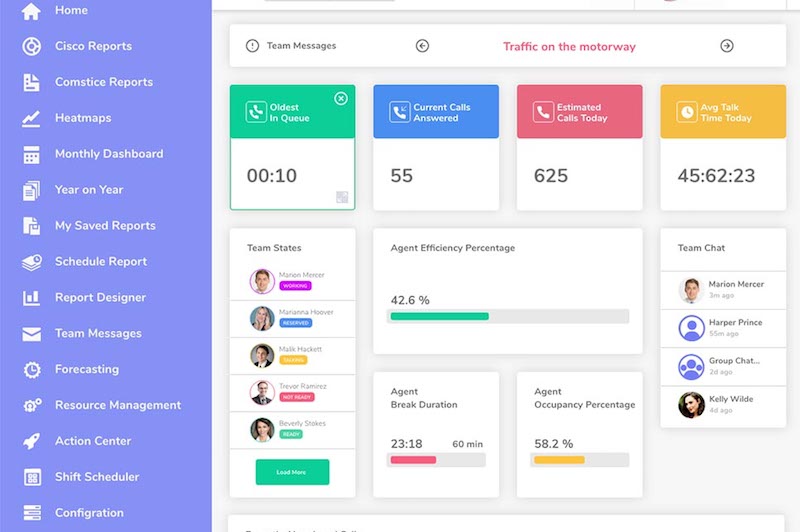
Comstice Reporting and Analytics
Add autoskill activity into real-time dashboards, daily, weekly monthly team reports and agent scorecards.
Learn MoreClick here for Cisco UCCE, PCCE, UCCX and CUCM Compatible Solutions by Comstice
How Comstice Autoskill Works
- Integrate Comstice Autoskill with Cisco UCCE AW Server
- Add secondary skills and attributes to each agent.
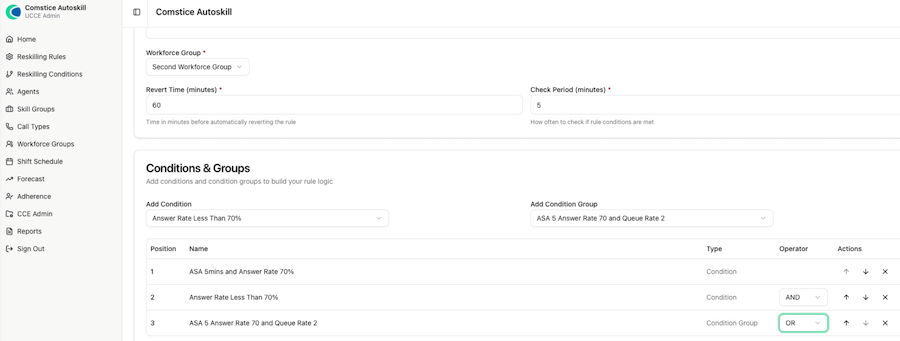
- Create conditions and condition groups.
- Create a workforce group by grouping the agents, call types and skill groups.
- Create an autoskill rule for the selected workforce group. Combine multiple conditions and condition groups using AND and OR operators.
- Monitor autoskilling activity from real-time dashboards and the reports.
What Customers Think About Comstice Autoskill
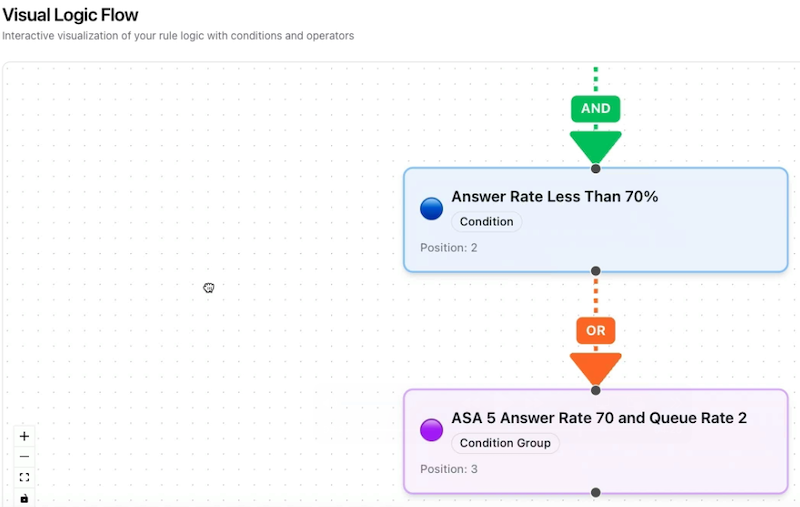
Visual Logic Flow
- Review the complete set of conditions and condition groups in the Visual Logic Flow.
- See how each condition is attached to the rule with logical AND and OR operators.
- Update decision tree using the Visual Logic Diagram.
Preferred By










Download Data Sheet for
Features, Architecture, and Project Plan
Get all the details about Autoskill for Cisco UCCE and PCCE, including features, comparison with the alternatives, architecture, server specifications and the sample project plan.
Download Data SheetOur Partners






Learn more about Cisco Contact Center Suite by Comstice
Comstice Autoskill for Cisco UCCE PCCE FAQ

-
What is the license model for Comstice Autoskill?
It is based on the number of named agents to be included into the Autoskill. You can license a subset of your overall agent count. It is an elevated pricing; it is not priced per agent.
-
Do I need additional licenses on Cisco CCE to use Comstice Autoskill?
No additional Cisco licenses needed.
-
Can we restrict admin features?
You can create profiles about which features, which agents and campaigns user can access.
-
How can I migrate my forecasts and shift schedules from another WFM vendor?
You can upload them as a CSV or Comstice can have an API-Level integration to retrieve shift and forecast data from your WFM setup.
-
Can we reuse the same condition for multiple rules?
Yes, you can use the same condition and condition group in multiple rules. Each rule is associated with a specific workforce group so there will not be any confusion.
-
Is this solution on-premises or in the cloud?
Comstice Autoskill is designed to be run on-premises. Comstice can host it for your organization as well. It runs on a Linux VM as Docker containers.
-
Does Comstice Autoskill offer a data Bulk Edit, Bulk Create and Bulk Update?
Yes. You can have bulk edit, bulk update and bulk create for multiple agents, skill groups, call types and precision queues.
-
Does Comstice Autoskill include real-time dashboards?
Yes, you can monitor active rules, how many agents are currently working with their secondary skills enabled, average duration of activity for each rule etc.
-
Can I control the level of access that my team members and supervisors have?
Yes, you can. You will create profiles to assign permissions about which agents, skills, and teams they can autoskill for each autoskill user.
-
How long does it take to train an autoskill user for using the app on a daily basis?
Typically we run one hour-long train-the-trainer session for supervisors and power users, and we also provide video and pdf content.
-
How easy is it to send a report to a stakeholder who is not set up as an agent or a supervisor?
You can schedule a report and add the email address of the recipients.